NextLift
NextLift is an iPhone app for logging barbell training. Walk up to the bar knowing exactly what to load: NextLift remembers your last session and the progression you've chosen, so every set is logged in seconds. No spreadsheet required.

Why it exists
Progressive overload is simple in theory: lift a little more than last time. In practice, most people either wing it or drown in tracking apps that feel like a second job. Neither works.
NextLift keeps it obvious. You decide how you want to progress each lift; it remembers what you did last session and makes logging the next one effortless. You just have to show up and do the work.
What it does
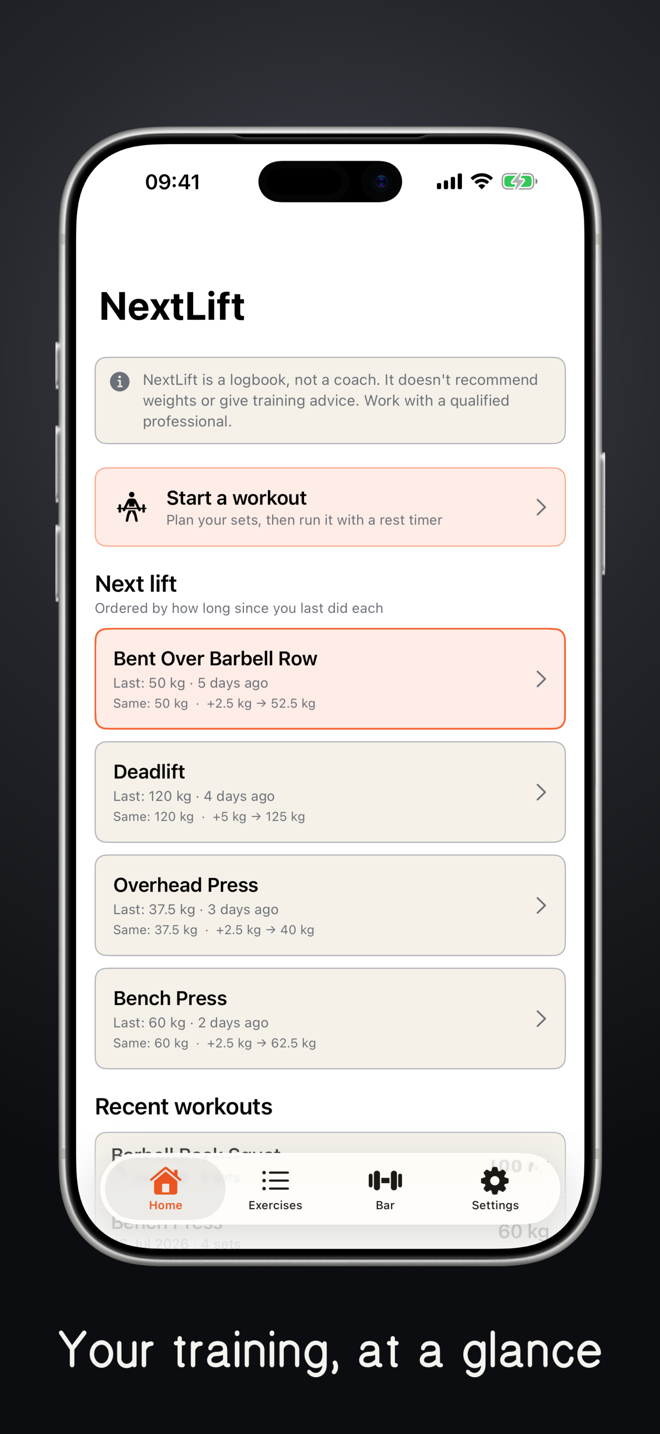
- Last session, front and centre. Open the app and see exactly what you lifted last time and the progression you set. No flipping through a notebook — just load up and log it.
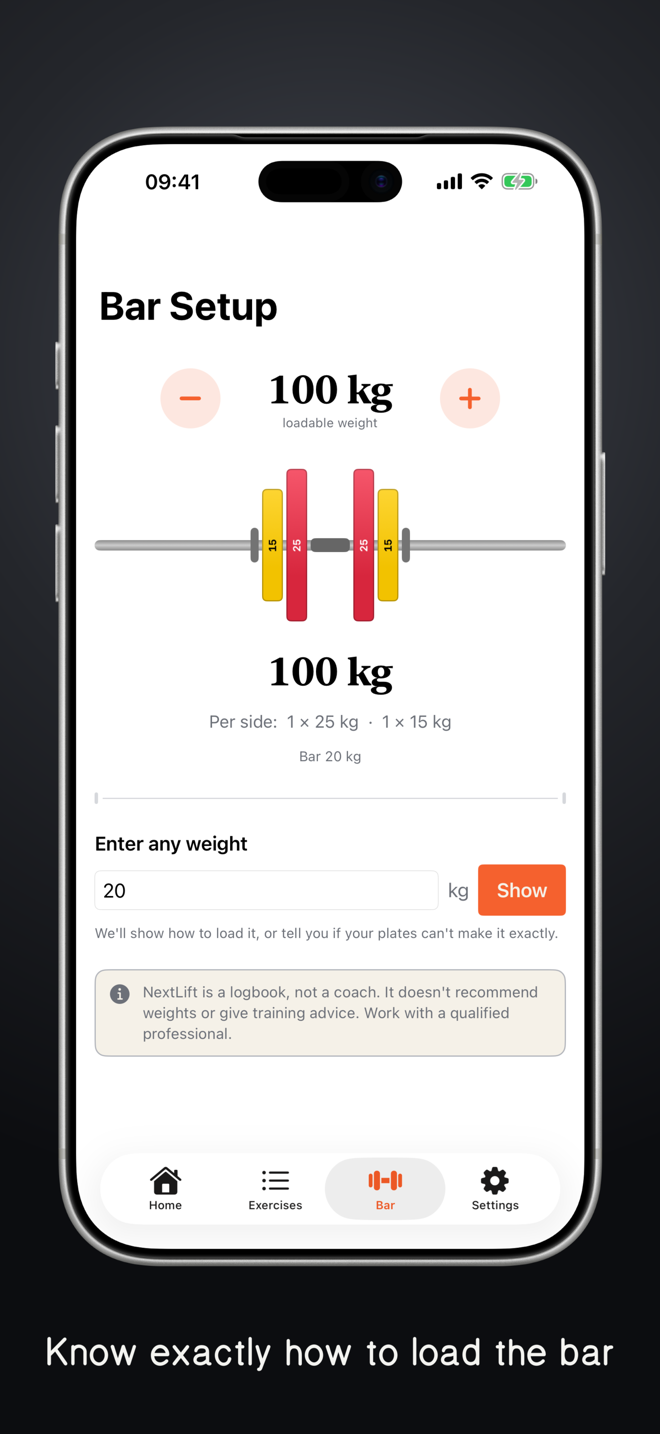
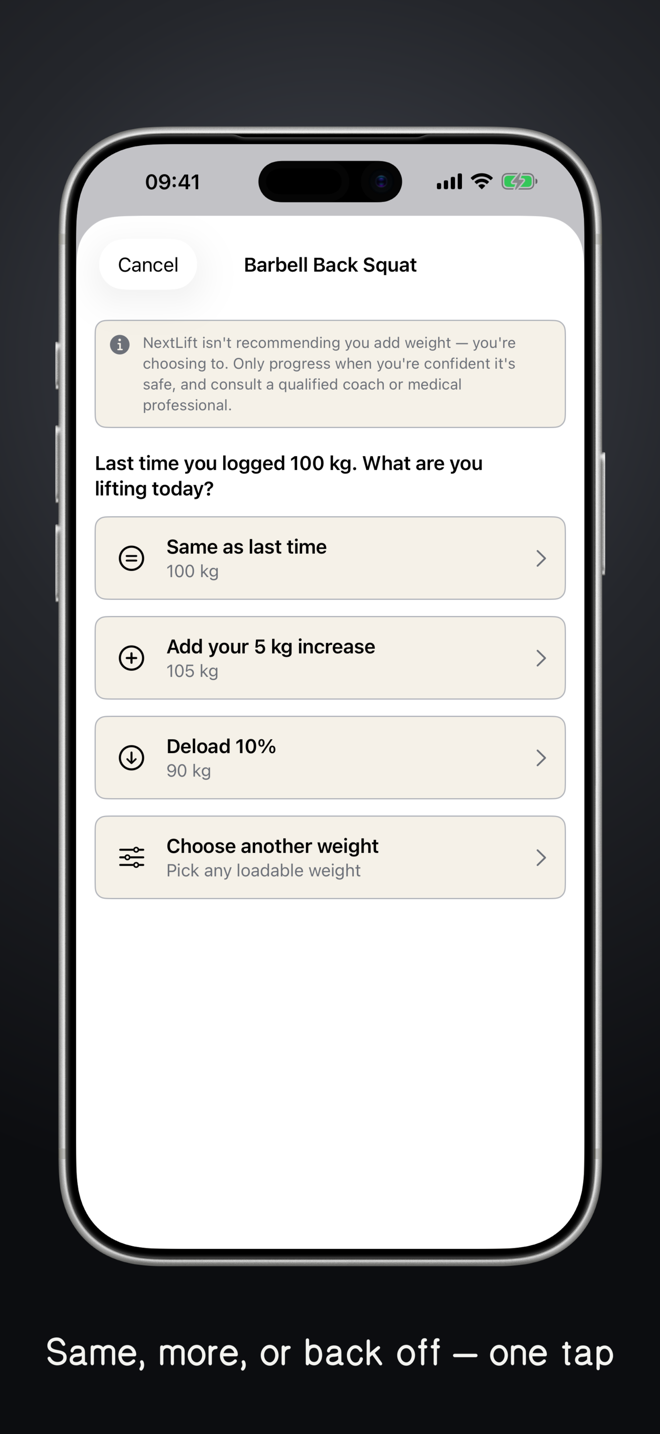
- Deload, maintain, or progress. Each session you choose how to move: add weight, hold steady, or back off. NextLift records the call you make and shows how to load the bar for it.
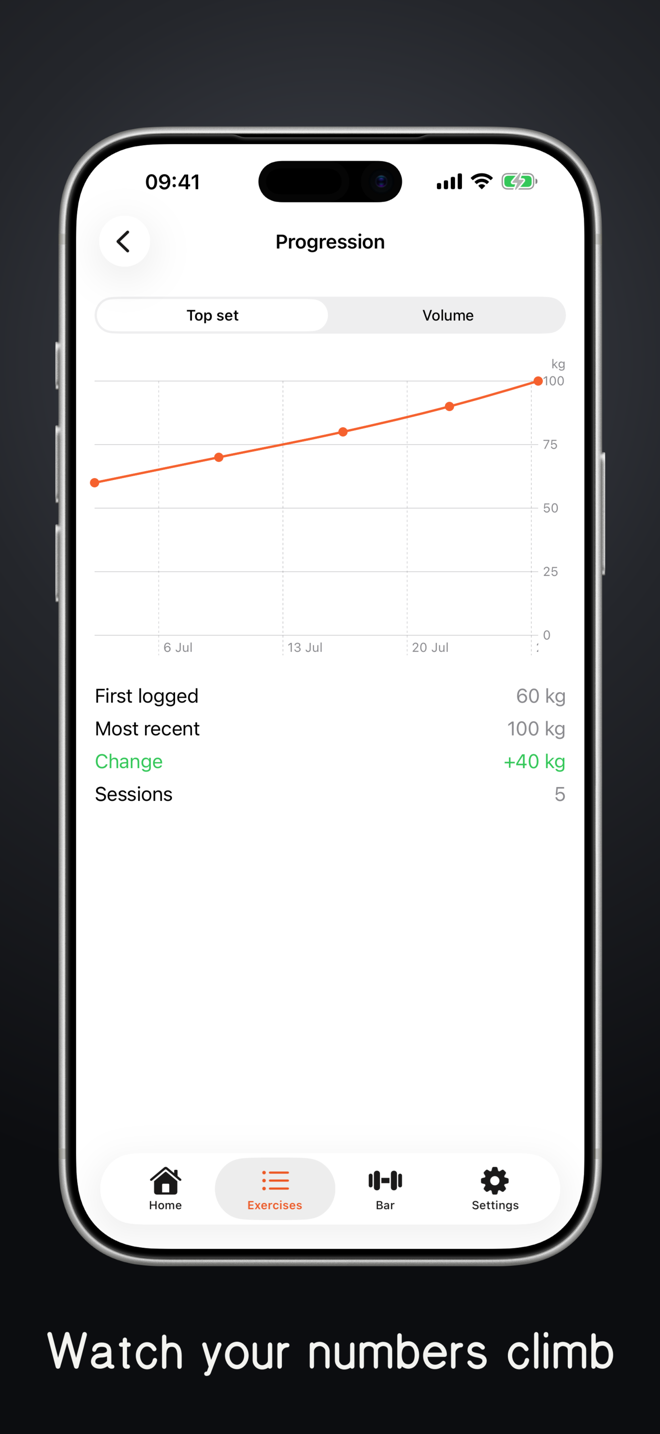
- A clean log, plates to PRs. Every session recorded. See your progress over weeks and months — where you started, how far you've come, and what's next.
How it works
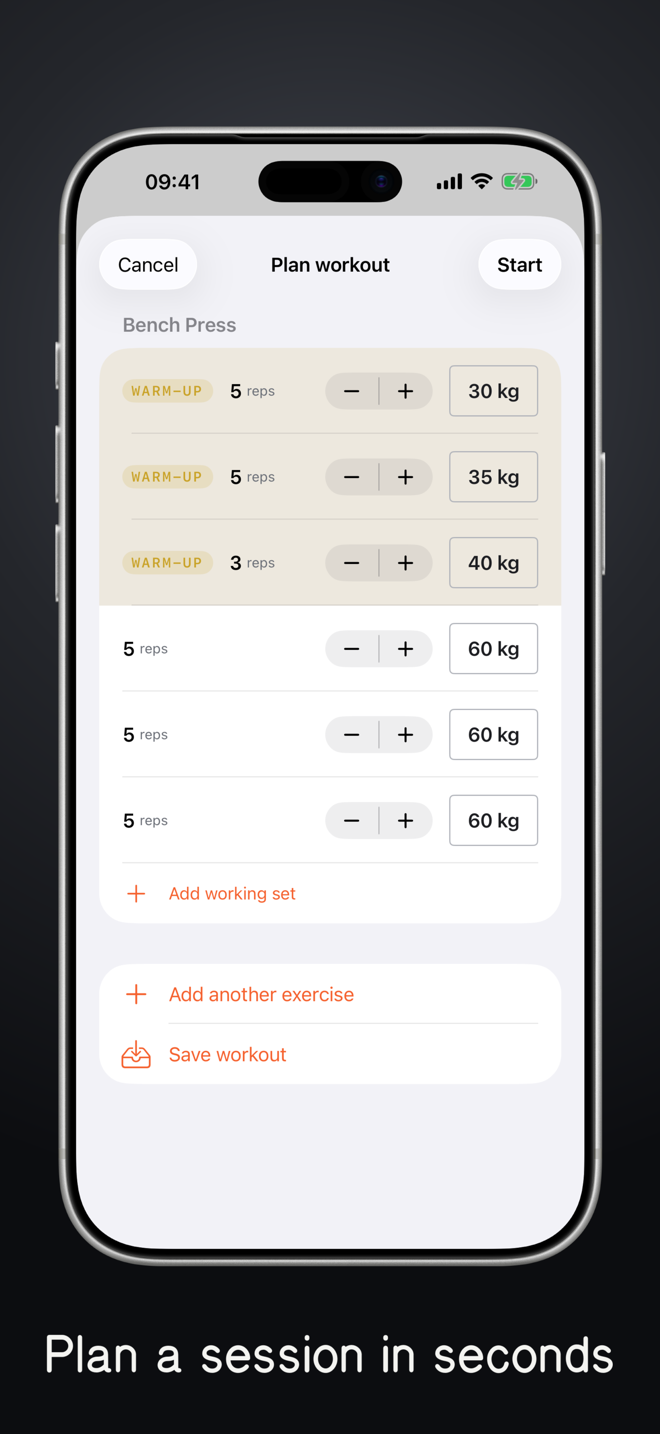
- Log your first session. Add your lifts and what you did today. Bench, squat, deadlift — whatever your programme.
- Set your progression. Tell NextLift how you like to progress each lift. From then on it remembers your numbers and your plan.
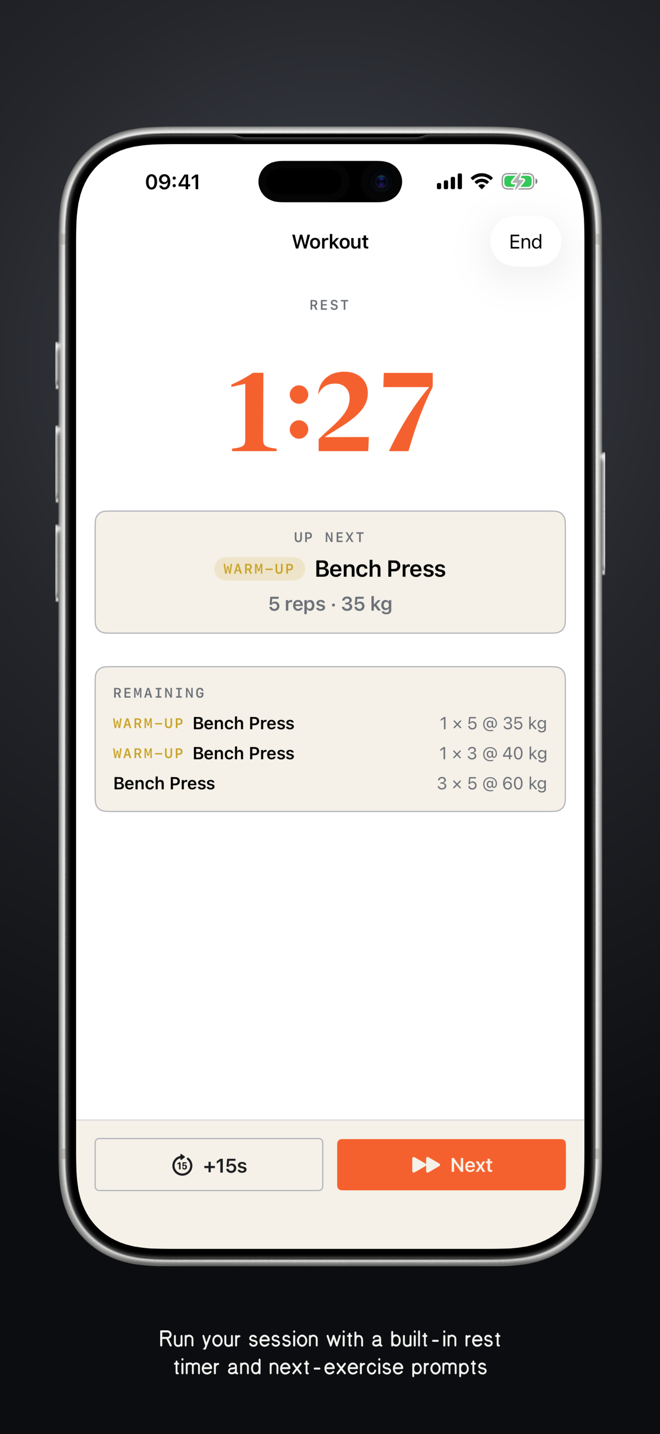
- Walk in ready. Open the app before your session and pick up right where you left off: last time's numbers and your next planned set, ready to load. Then just lift.
Screenshots
Scroll sideways to see more.
Frequently asked questions
Is it available on Android? No. NextLift is built just for iPhone, and I don't have plans to bring it to Android.
What lifts does it support? Any barbell, dumbbell, or machine lift you like. NextLift isn't opinionated about your programme — it works with whatever you're already doing.
How does the progression work? NextLift doesn't pick your weights, you do. You set the progression you prefer for each lift, and every session you choose whether to deload, maintain, or progress. NextLift records the call you make and shows how to load the bar for it. It's a training log, not a coach.
Is it for beginners or experienced lifters? Both. NextLift keeps tracking simple whether you're new to the barbell or years in. It isn't a coaching app, though: if you're starting out, work with a qualified personal trainer to get your form, technique, and programme right. NextLift handles the logging; a good PT keeps you safe.
Questions
NextLift is available on the App Store. If you have a question that isn't answered above, please get in touch.